Getting started with Memgraph
Memgraph is a high-performance, in-memory graph database that powers real-time AI context. Use it as the graph engine for GraphRAG, AI memory and agentic applications, and for real-time graph analytics. This page gets Memgraph running and answering a first query, then points you to the guide for what you’re building.
Run Memgraph in one command
With Docker running, this command starts Memgraph with the MAGE graph algorithms and Memgraph Lab, the visual interface:
curl -sSf "https://install.memgraph.com" | shThen open Memgraph Lab at http://localhost:3000. The
Quickstart explains what the command starts and walks you
through a first query and a graph algorithm.
Start with your coding agent
In Claude Code or Codex, install the Memgraph plugin. It adds the Memgraph Agent Skills, the Docs MCP server and the Memgraph MCP server.
/plugin marketplace add memgraph/marketplace
/plugin install memgraph@memgraphThen, with Docker running, ask your agent:
Get started with MemgraphThe agent starts Memgraph and Memgraph Lab in Docker, loads a sample dataset you pick, and runs a first query and a graph algorithm. For everything the plugin includes, see Memgraph plugins.
With any other coding agent, such as Cursor, paste this prompt into it. The
agent starts Memgraph in Docker, installs the
Memgraph Agent Skills, connects the
Docs MCP server and the Memgraph
MCP server, and runs a first query. You need
Docker running, and Node.js for npx.
Set up Memgraph for this project. Add .md to any Memgraph docs URL to read
the page as Markdown. If a container name or port below (7687, 7444, 8000)
is already in use, leave that container alone: start new containers with
unique names on free ports, use those in every step, and tell me which.

1. Start Memgraph with MAGE in Docker, then wait until it accepts queries:
   docker run -d -p 7687:7687 -p 7444:7444 --name memgraph memgraph/memgraph-mage --schema-info-enabled=true
   until echo 'RETURN 1;' | docker exec -i memgraph mgconsole >/dev/null 2>&1; do sleep 1; done
2. Install the Memgraph Agent Skills without prompts, with AGENT set to your
   skills CLI agent name (claude-code, cursor, codex):
   npx skills add memgraph/skills --skill '*' --agent AGENT --yes
3. Connect the Memgraph docs MCP server at https://mcp-docs.memgraph.com.
   In Claude Code: claude mcp add --transport http memgraph-docs https://mcp-docs.memgraph.com
   Other clients: https://memgraph.com/docs/getting-started/coding-with-ai/docs-mcp.md
4. Connect the Memgraph MCP server to this Memgraph. Start it with
   docker run -d --rm -p 8000:8000 --add-host=host.docker.internal:host-gateway memgraph/mcp-memgraph:latest
   (on another Bolt port, add -e MEMGRAPH_URL=bolt://host.docker.internal:PORT)
   and add http://localhost:8000/mcp/ as an HTTP MCP server.
   Details: https://memgraph.com/docs/ai-ecosystem/integrations/mcp.md
5. Run this query and show me the result table:
   echo "CREATE (:Developer {name: 'Ana'})-[:USES]->(:Database {name: 'Memgraph'}); MATCH (d:Developer)-[:USES]->(db:Database) RETURN d.name AS developer, db.name AS database;" | docker exec -i memgraph mgconsole
6. Tell me what you installed, whether I need to start a new session to load
   the skills and MCP servers, and suggest next steps for what I'm building.
You should see the agent report the skills and the two MCP servers it added, and this result table:
+------------+------------+
| developer  | database   |
+------------+------------+
| "Ana"      | "Memgraph" |
+------------+------------+
Some agents load new skills and MCP servers only in a new session. To set up one of these tools on its own, see AI coding assistants.
What are you building?
Pick the row that matches your project. GraphRAG and Agentic AI each have a one-command example that runs in Docker and needs no API key; AI memory installs with one command.
| You’re building | Start here |
|---|---|
| GraphRAG: answers grounded in a knowledge graph, not only in similar text | GraphRAG, with a one-command example |
| AI memory: a long-term memory your coding agents share across sessions | AI memory, installed with one command |
| Agentic AI: agents that plan by traversing a graph of states and actions | Agentic AI, with a one-command example |
| Graph analytics: PageRank, community detection, paths and centrality | Run algorithms and the available algorithms |
| Graph queries over data that stays in PostgreSQL, ClickHouse, Snowflake or a data lake | Memgraph Zero, with the MemGQL quick start |
| A migration of your data from Neo4j, a relational database or files | Migrate from Neo4j or Data migration |
| An application that queries Memgraph from Python, JavaScript, Java or another language | Client libraries |
| A production deployment | Installation and Deployment |
Quickstart
Run Memgraph and Memgraph Lab, the visual interface, in Docker, load a sample dataset, and run a query and a graph algorithm on it. You need Docker installed and running.
1. Start Memgraph and Memgraph Lab
Run the installer for your operating system:
curl -sSf "https://install.memgraph.com" | shThe script downloads a Docker Compose
file
into a memgraph-platform folder in your home directory and starts two
containers:
memgraph-mage: Memgraph with MAGE, the graph algorithms library, on port7687for queries and7444for logs.memgraph-lab: Memgraph Lab on port3000.
To stop both containers, run docker compose stop in the memgraph-platform
folder, and docker compose start to start them again. For other
ways to run Memgraph, see Installation.
2. Open Memgraph Lab
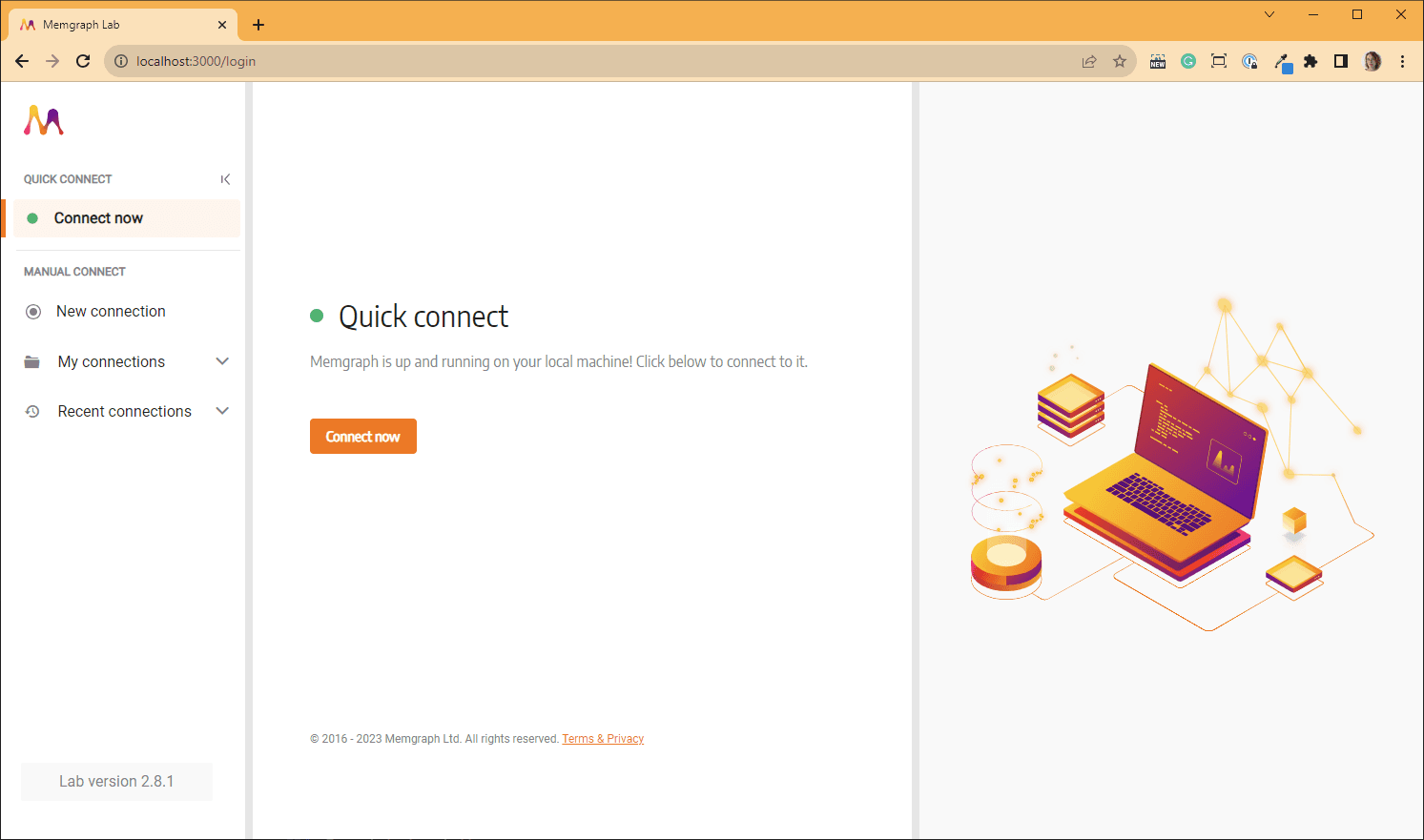
Open http://localhost:3000 in your browser. Lab opens on the Quick
connect screen; click Connect now to connect to Memgraph:
To query from the terminal instead, run docker exec -it memgraph-mage mgconsole. For other ways to run mgconsole, see CLI.
3. Load a dataset
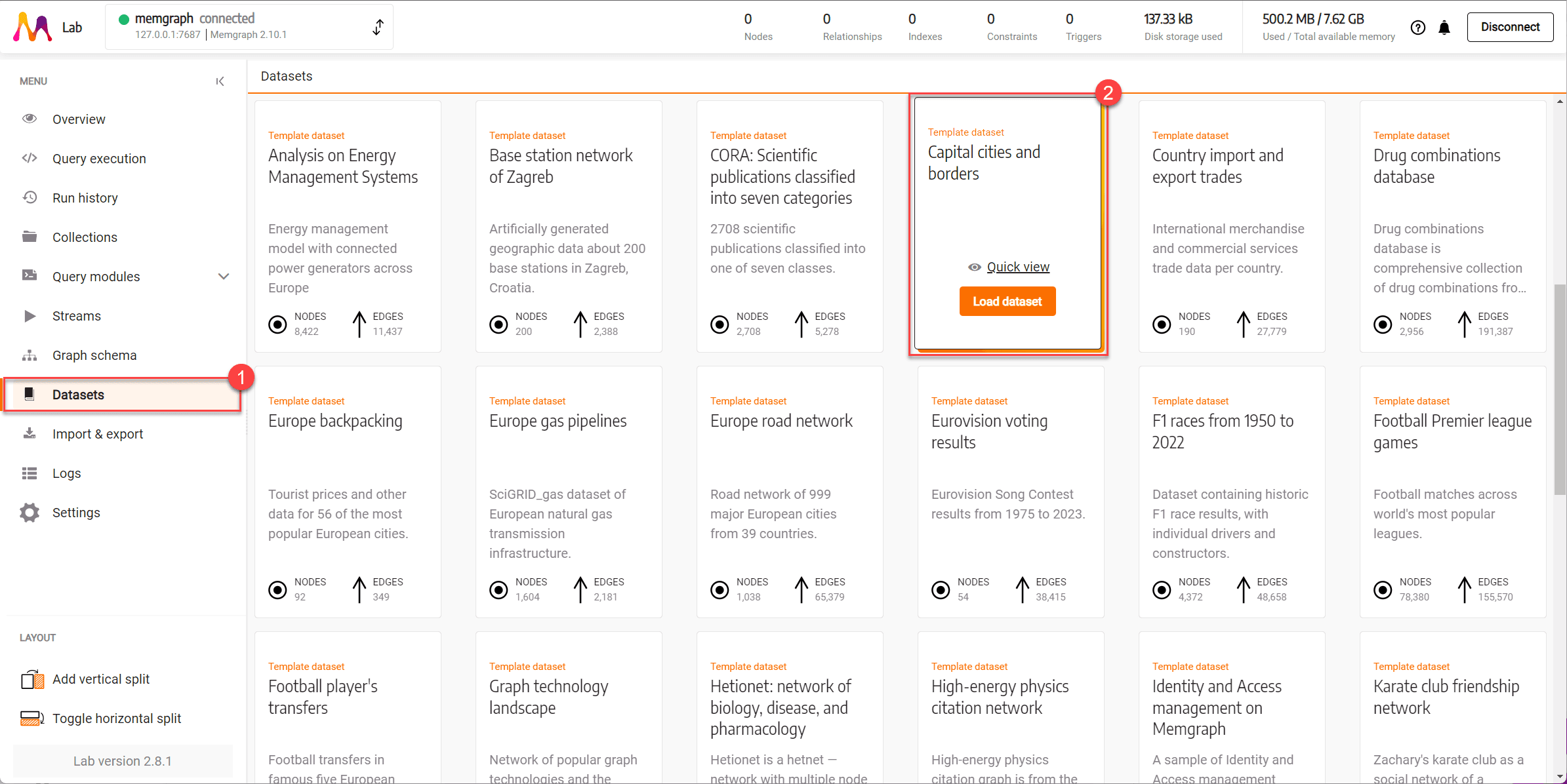
In the Lab sidebar, open Datasets, find Capital cities and borders and click Load dataset:
For the other datasets, and to load one with mgconsole instead of Lab, see Sample datasets.
4. Run a query
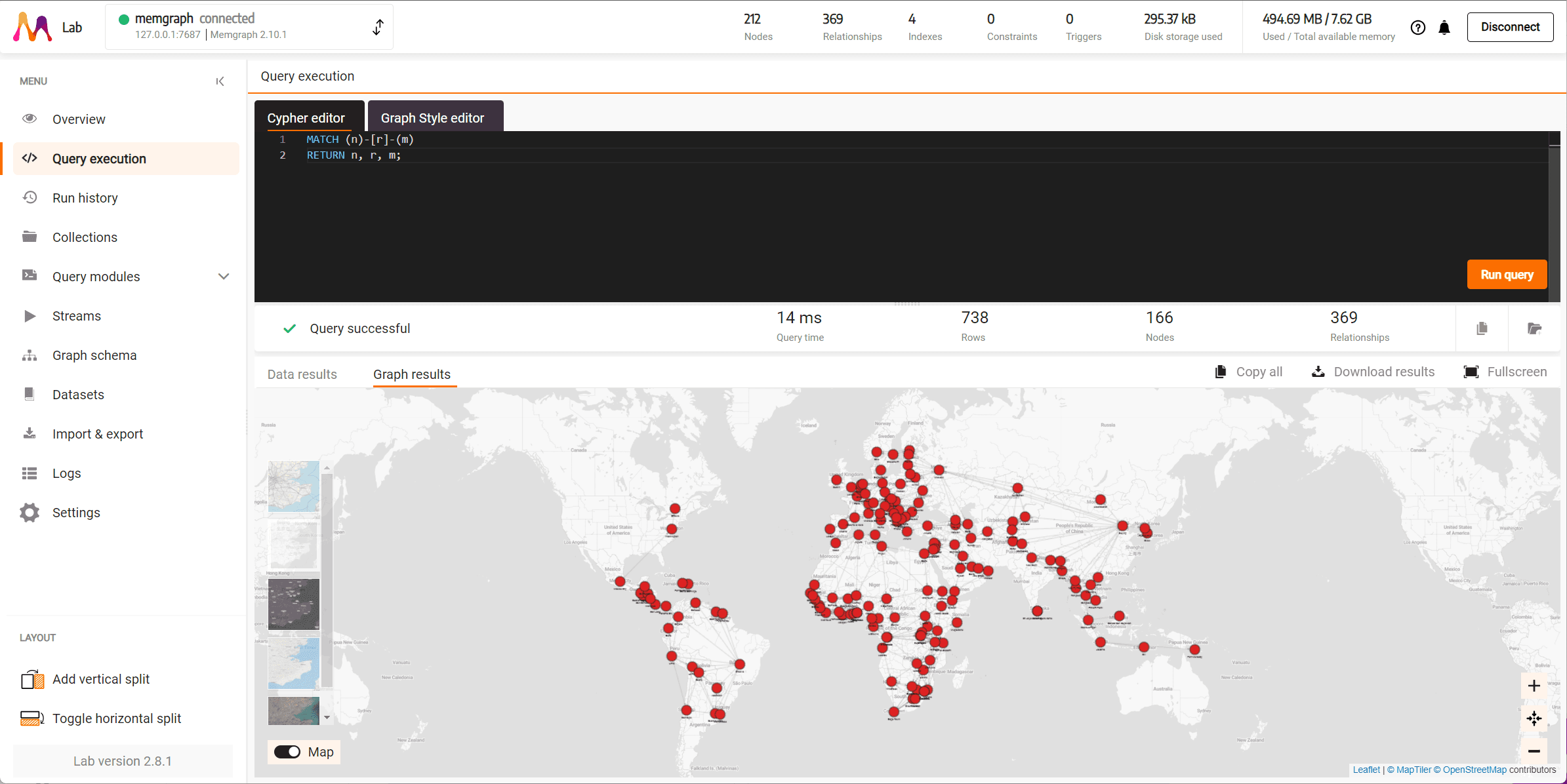
Open Query execution, paste this query into the Cypher editor and click Run query. It returns every pair of connected nodes and the relationship between them, 738 rows on this dataset:
MATCH (n)-[r]-(m)
RETURN n, r, m;
The Graph results tab draws the capital cities on a world map, connected by their borders:
5. Run a graph algorithm
Run PageRank with the
pagerank.get() procedure from MAGE and return the five highest-ranked
cities:
CALL pagerank.get()
YIELD node, rank
RETURN node.name AS city, rank
ORDER BY rank DESC
LIMIT 5;
The Data results tab shows these rows:
+--------------+--------------+
| city         | rank         |
+--------------+--------------+
| "Porto-Novo" | 0.0200067    |
| "Gitega"     | 0.0184617    |
| "Thimphu"    | 0.0140559    |
| "Nur-Sultan" | 0.0140246    |
| "Dodoma"     | 0.0139278    |
+--------------+--------------+
For the other algorithms you can run the same way, see available algorithms.
Next steps
- Learn Cypher: see Querying. Memgraph is compatible with Neo4j for most queries; see the differences in Cypher implementations.
- Pick your next guide: see What are you building?.
If you get stuck, ask on Discord.